Diagram
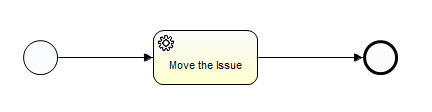
Step 1: Create a new Activiti project and/or Activiti diagram
The creation of a new Activiti project/diagram is explained in the section on Setting Up Your Workflow Design Workbench
Step 2: Create a Start and End Event
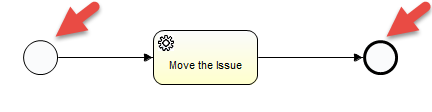
Set the properties for the Start Event:
Start Event > Properties Tab > Main Config

Configuration Variables:
Id | Name | Type | Default | Required | Readable | Writeable | Description |
|---|---|---|---|---|---|---|---|
| responsibleCommunity | The new responsible community for the issue | community | Steward | true | true | true | Creates a form that allows the user to select the community. |
Step 3: Move the Issue
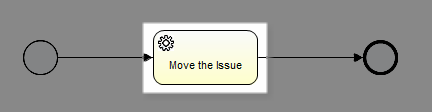
Set the properties:
Service Task > Properties Tab > Main config
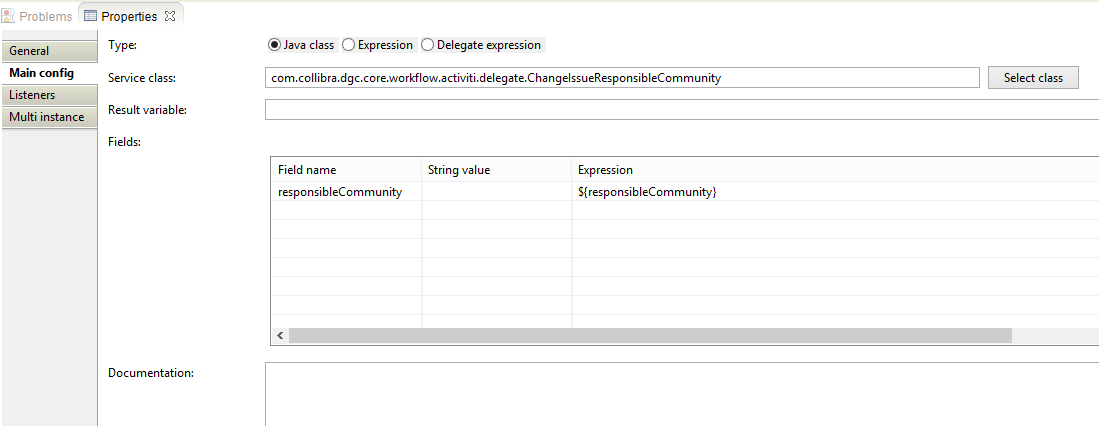
| Property | Value | Description |
|---|---|---|
| Type | Java Class | Setting for delegate |
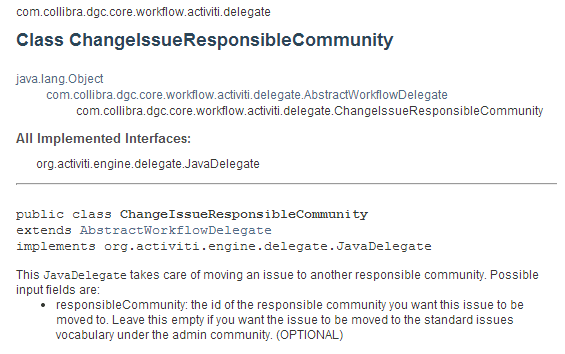
| Service Class | com.collibra.dgc.core.workflow.activiti.delegate.ChangeIssueResponsibleCommunity | This JavaDelegate takes care of moving an issue to another responsible community |
Fields:
| Field name | String value | Expression | Description |
|---|---|---|---|
| responsibleCommunity | ${responsibleCommunity} | the id of the responsible community you want this issue to be moved to |
Attachments:
 image2014-5-1 21:6:30.png (image/png)
image2014-5-1 21:9:37.png (image/png)
image2014-5-1 21:10:39.png (image/png)
image2014-5-1 21:13:13.png (image/png)
image2014-5-1 21:6:30.png (image/png)
image2014-5-1 21:9:37.png (image/png)
image2014-5-1 21:10:39.png (image/png)
image2014-5-1 21:13:13.png (image/png)
 image2014-5-1 21:13:25.png (image/png)
image2014-5-1 21:14:59.png (image/png)
image2014-5-1 21:19:8.png (image/png)
image2014-5-1 21:13:25.png (image/png)
image2014-5-1 21:14:59.png (image/png)
image2014-5-1 21:19:8.png (image/png)